
Video evidence often looks unclear. A CCTV clip looks dark. A face looks blurred. A number plate looks too small. A camera shakes. A file has missing detail. This slows down your work.
Cognitech builds Forensic Video Analysis Software and hardware for teams who work with video evidence, CCTV footage, image files, and scene measurement. The goal is simple. Make video easier to study, explain, and report. Cognitech lists tools for video and image enhancement, CCTV footage work, and crime scene measurement through products such as Video Investigator, Video Active, and AutoMeasure.
Why Forensic Video Analysis Software Matters
A camera records many small details. Some details stay clear. Some details get lost because of distance, poor light, motion, rain, low camera quality, or file compression.
Forensic Video Analysis Software helps your team slow the footage down and study each frame. You look at movement. You check time stamps. You compare objects. You measure distance. You improve light and sharpness. You keep the work clean for reports.
This matters for police teams, forensic labs, security teams, legal teams, and private investigation work. A normal media player only plays video. A forensic tool gives you more control over the evidence.
What Makes Video Evidence Hard To Read
CCTV cameras sit in shops, streets, car parks, offices, schools, warehouses, and public places. They record from fixed angles. They often record all day. Quality changes from camera to camera.
Common video problems include:
Low light in night footage.
Blur from motion.
Shaky camera movement.
Low frame rate.
Small faces or plates.
Heavy file compression.
Bad angle from wall or roof cameras.
Noise in older video files.
These problems make review slow. Your team needs a clear process, not guesswork. Cognitech Video Investigator 64 supports work with video and still images, including CCTV footage enhancement.
How Cognitech Helps Your Team See More
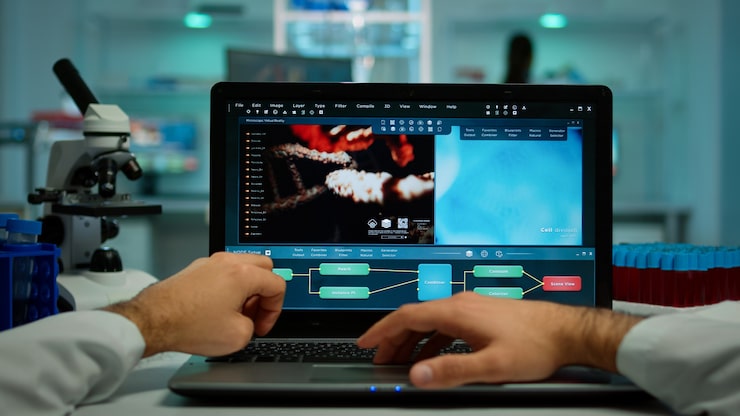
Cognitech focuses on forensic video and image work. Its tools support denoise, deblur, resolution improvement, and analysis tasks. The Cognitech home page describes Video Investigator, VideoActive, and AutoMeasure as part of a forensic software setup, with tools for enhancement, processing, and measurement.
This gives your team one place to work with difficult footage. You improve the clip. You study frames. You check details. You create output for review.
A clear workflow helps you avoid random editing. You follow steps. You keep your work traceable. You reduce confusion when another expert reviews the same video.
A Simple Workflow For Better Video Review
Start with the original file. Keep one clean copy safe. Work from a duplicate file. This protects the source.
Next, note the video details. Write the date, time, camera name, file type, and source. Then check the full clip once before making changes. Look for key moments. Mark important frames.
After this, start enhancement. Adjust brightness. Reduce noise. Improve sharpness. Stabilize the clip when the camera shakes. Use frame-by-frame review for small details.
For scene work, Crime Scene Video Analysis helps teams study movement, positions, distance, timing, and object placement. A clip becomes easier to explain when your review follows a clean order.
Key Features To Look For
Good forensic software should help you work faster without losing control. Forensic work needs care. Every change should have a reason.
Look for tools for:
Frame-by-frame review.
Denoise and deblur.
Low light improvement.
CCTV footage enhancement.
Image and video file support.
Scene measurement.
Report support.
Evidence authentication.
Clear export options.
Cognitech content describes features such as deblurring, denoising, reconstruction, image authentication, real-time adjustment, and frame-level work in Video Investigator 64.
Why CCTV Surveillance Analysis Needs Care
CCTV footage often becomes key evidence because cameras record before, during, and after an event. One clip might show a person entering an area. Another clip might show a vehicle leaving. A third clip might show a small object near a door.
Your work is to connect small details. This needs clean video review. It also needs patience.
Do not over-enhance a clip. Too much sharpness or contrast makes video look false. Use each filter with care. Save versions. Keep notes. Compare before and after views. This keeps the work clear for other people who need to check your findings.
Crime Scene Measurement Tools Add Context
Video does not only show faces or objects. It also shows space. A scene has distance, height, angles, and positions. Measurement tools help your team understand what happened in the recorded area.
Cognitech offers AutoMeasure as a crime scene measurement and photogrammetry tool. Daetech’s Cognitech page also describes AutoMeasure as a tool for crime scene measurement.
This helps when a team needs to measure object size, position, or distance from video or images. Clear measurement supports better reports. It also helps explain findings in simple terms.
How Better Video Review Supports Reports
A good report should answer basic questions.
What file did you review?
Where did the video come from?
What did you enhance?
Why did you enhance those parts?
What details became clearer?
Which frames matter most?
What limits still exist?
Forensic video analysis software helps you prepare clearer images, short clips, notes, and visual output. This makes your report easier to read. Your team does not need long wording when the frame, label, and reason are clear.
Practical Tips For Your Next Case
Use the original file first.
Save a copy before any work.
Write notes before changes.
Review the full clip once.
Mark key frames.
Enhance small areas with care.
Compare before and after views.
Export clean files for review.
Keep a simple change log.
Avoid guessing from poor footage.
These steps help your team stay organized. They also make your work easier to explain.
Why Choose Cognitech For Forensic Video Work
Cognitech works in a focused field. Its tools serve forensic video analysis, CCTV surveillance analysis, video enhancement, and crime scene measurement. The company offers software and hardware options for teams who need serious video review.
Forensic teams need more than a clear image. They need a repeatable process. They need tools built for evidence. They need reports other people understand. Cognitech gives your team a software path for those needs.
Final Thoughts
Forensic Video Analysis Software helps your team turn hard-to-read footage into clearer evidence. It helps with CCTV clips, dark scenes, blurred frames, movement, measurement, and reporting.
Cognitech gives investigators tools for video enhancement, image work, CCTV review, and crime scene measurement. When your team uses a careful process, video evidence becomes easier to study and explain.
FAQs
What is Forensic Video Analysis Software used for?
Forensic Video Analysis Software is used to improve, study, measure, and review video evidence. It helps teams work with CCTV footage, unclear frames, low light clips, and still images.
Does Cognitech help with CCTV surveillance analysis?
Yes. Cognitech offers tools for forensic video and image enhancement, including CCTV footage work through products such as Video Investigator and Video Active.
Why is crime scene video analysis important?
Crime scene video analysis helps teams study timing, movement, object position, and scene details. This makes reports clearer and supports better evidence review.